Using AI Summaries
AI Summaries help transform raw Jira issue lists into clear, structured updates tailored to your workflow.
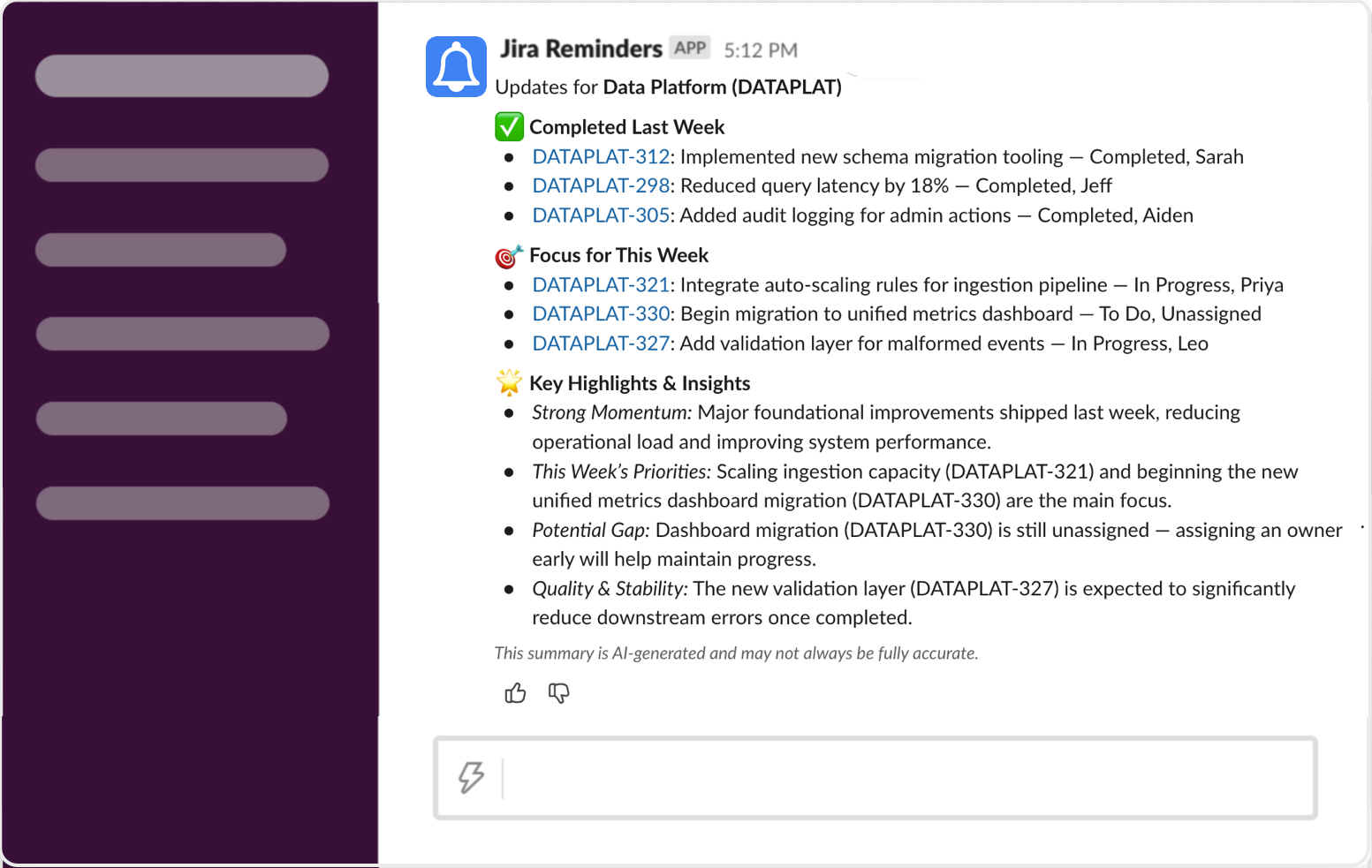
Example of an AI-generated summary in Slack
What AI Summaries Do
When enabled, the AI:
- Groups issues by priority, status, or type
- Highlights blockers and risks
- Rewrites Jira summaries into natural-language updates
- Adds insights or next steps (if requested)
- Formats everything for Slack readability
AI never changes your Jira data — it only summarizes it.
Adding AI Instructions
When creating or editing a reminder, look for the AI Instructions field.
You can provide guidance such as:
- “Highlight blockers first and group by priority.”
- “Summarize in a product-manager-friendly tone.”
- “Call out any issues that impact deadlines.”
- “Keep summaries concise — 1 bullet per issue.”
The AI will follow these instructions every time the reminder runs.
Overriding Defaults
Your custom instructions take priority over the app’s defaults.
This allows teams to tailor summaries to their workflow.
Previewing AI Results
When you preview a reminder:
- AI generates a test summary using sample data
- You can adjust instructions and re-preview instantly
This helps fine-tune the style before sending reminders to your team.
Tips for Effective AI Summaries
- Be explicit (“Group by priority, then by team”)
- Keep instructions short but specific
- Use them to enforce standard communication formats
- Update instructions as your team’s workflow evolves
For questions about AI behavior or privacy, reach out to support@jirareminders.com.